
Hey there! If you, like me, are planning to build an awesome extension or just want to understand the magic happening under the hood of your competitors’ products, you absolutely need access to the source code.
Let’s be honest: before I start any new project, my first step is always to study existing products. This isn’t about plagiarism; it’s about benchmarking and a security audit. If I need to understand how a complex Content Script is implemented or why an extension is so blazing fast, I just go look at its code.
Here, I’ve gathered my three favorite, proven ways to peek behind the curtain of any extension. Choose the one that fits your current task!
Scenario: Find out how an idea works without installing the extension
The Problem: I found an epic extension on the Web Store, but I don’t need it installed – I just want to see how they solved a data parsing problem. Or maybe I’m a little paranoid and want to ensure it’s not stealing my passwords before I click “Add to Chrome.”
The Solution: We need the source code in a ZIP archive. Let’s call on some specialized tools.
Method 1: The Express Download Hack with a Helper Extension
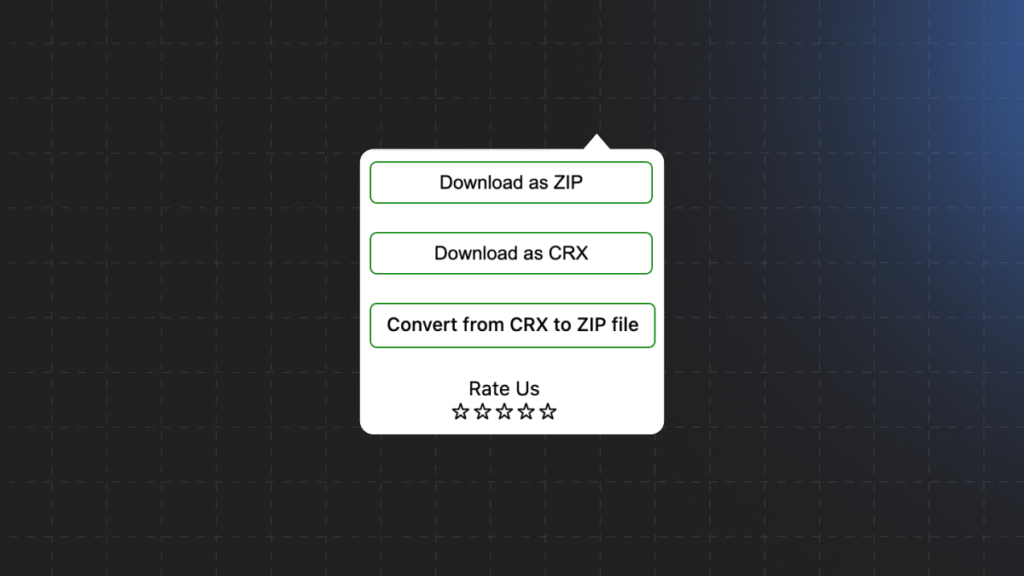
This is my favorite, fastest, and completely legal hack.
- First, Gear Up: Install a specialized downloader extension into your Chrome (or any Chromium browser). For example, search for CRX Extractor or something similar. It’s an extension that downloads other extensions. Yes, it sounds a bit meta, but it works flawlessly.
- Target the Web Store: Navigate to the page of the extension in the Chrome Web Store that you want to study.
- One Click, Code Acquired: Click on the icon of your newly installed downloader extension. A special button, like “Download as ZIP,” will appear right on the store page. Click it, and an archive containing all the source code lands on your computer.
- Disassemble the Components: Unzip the file. Inside, you’ll find clean files: HTML, CSS, JavaScript, and, most importantly,
manifest.json. Study, learn, and verify!
My Insight: This method is perfect if the extension’s code isn’t heavily obfuscated. I often use it for a quick security audit to ensure an extension isn’t doing anything fishy before I grant it access to all my tabs.
Scenario: Locating the files for an already installed extension
The Problem: I already have the extension installed and use it daily, but it suddenly started glitching. Or maybe I want to quickly make a micro-tweak just for myself so I don’t have to wait for an update. Where are these files actually stored?
The Solution: Chrome keeps extension files right on your drive. You just need to know the secret path.
Method 2: The Deep File Dive
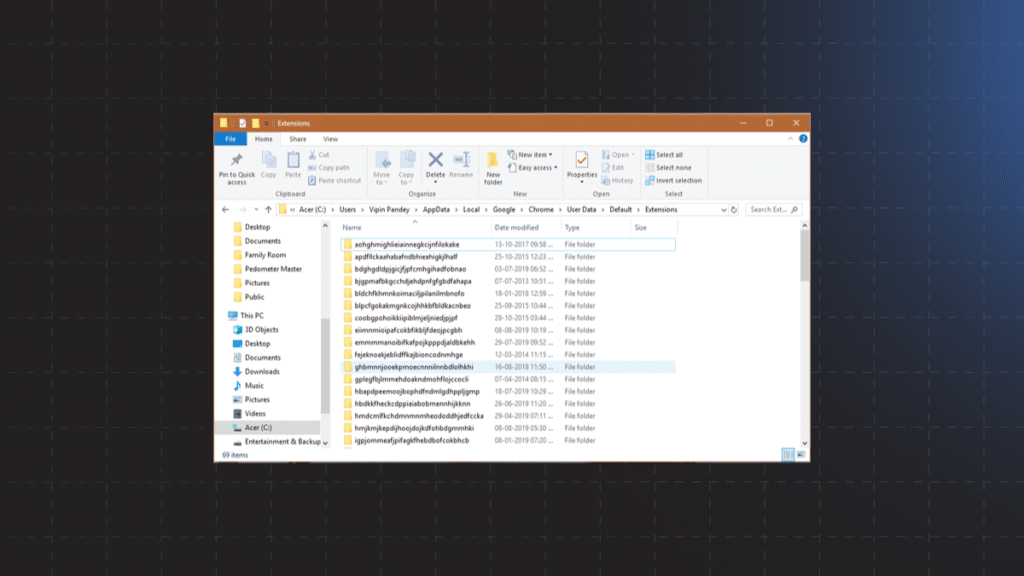
- Recon: Get the ID: We can’t proceed without the ID. Go to Settings -> Extensions (
chrome://extensions). Make sure “Developer mode” is switched ON (the toggle in the upper right). You’ll see that every extension now has a unique ID (a string of letters and numbers). Chrome extension IDs are created and signed by Google. They are unique 32 characters which looks likegbcrcmamhahbdfhkhkmlfmihenigjmup. Copy this ID. - Find the Path: Extensions hide deep within your user profile folder. The path depends on your OS:
- If you’re on Windows: Press Win+R and paste:
C:\Users\[User_Name]\AppData\Local\Google\Chrome\User Data\Default\Extensions(If you use multiple profiles, replaceDefaultwith your profile name, e.g.,Profile 1). - If you’re on macOS: Look here:
~/Library/Application Support/Google/Chrome/Default/Extensions/ - If you’re on Linux: Try this:
~/.config/google-chrome/Default/Extensions/
- If you’re on Windows: Press Win+R and paste:
- Find the Right Folder: You’ll land in a folder full of folders named after extension IDs. Find the one that matches your copied ID.
- The Final Destination: Inside the ID folder, there will likely be another folder named after the version number (e.g.,
1.0.0_0). This is the source code. You can open it in VS Code and even make small edits (though they will be overwritten when the extension updates).
Scenario: Debugging or viewing how a script runs in the browser
The Problem: I don’t need the whole ZIP file. I need to understand which script executes precisely when I click a button on a specific website. How do I catch a background script in the act?
The Solution: Use the powerful built-in tool – DevTools.
Method 3: Bringing in DevTools
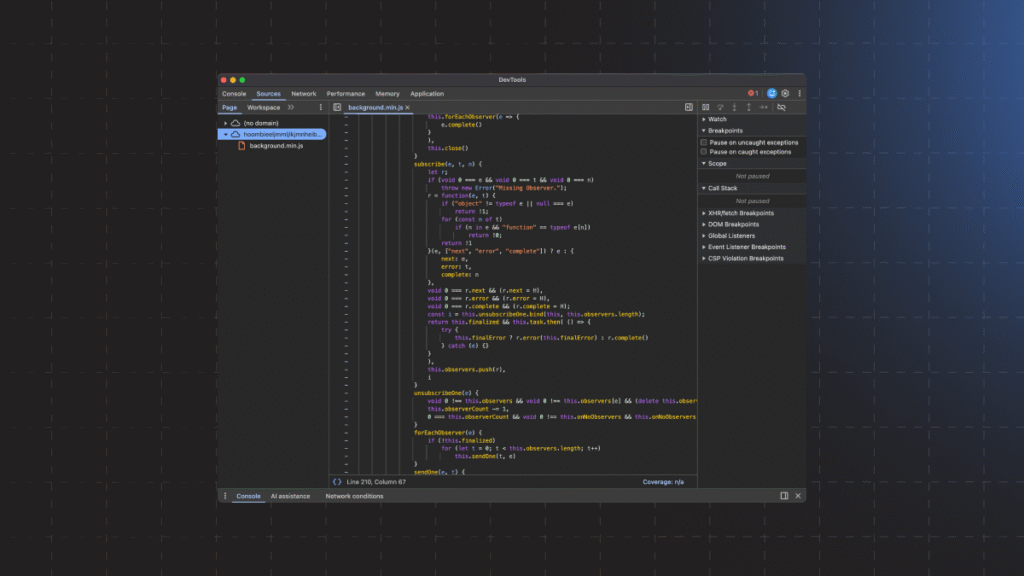
DevTools can connect to different parts of the extension:
A. For Content Scripts
This is the code that directly interacts with the webpage (adds buttons, changes styles).
- Open the website where the extension is running (e.g., a shopping site).
- Press F12 (or Ctrl+Shift+I).
- Go to the Sources tab.
- Look in the left panel. You’ll see a folder named
chrome-extension://[Extension ID]orContent Scripts. - Inside are the scripts currently “living” on that page. You can set breakpoints and watch the code execute step-by-step!
B. For Background Scripts (Service Workers)
This is the brain of the extension: it listens for events (icon clicks, new tab navigation) and sends requests.
- Go back to Extensions (
chrome://extensions). - Find your extension.
- Click the link: “Inspect views: Service Worker” (or “background page,” depending on the Manifest version).
- A new, completely clean DevTools window will open, connected directly to the extension’s background process. Go to the Sources tab.
- Here, you’ll see the code controlling the extension. You can set breakpoints and debug the logic, for example, how it handles messages from
Content Scripts.
A Developer-to-Developer Reminder:
Remember that the code for most extensions is protected by copyright. These methods should be used strictly for educational purposes, security auditing, or personal debugging. Let’s respect our fellow developers’ work!
Now you have all the tools to become a true extension detective! Happy coding!